
Layers - AI Photo Editor
HITDEV AIPhotography
4.251.00 Reviews
- Version
- 1.0.5
- Installs
- 100.00K
- Age Rating
- Everyone
Screenshots
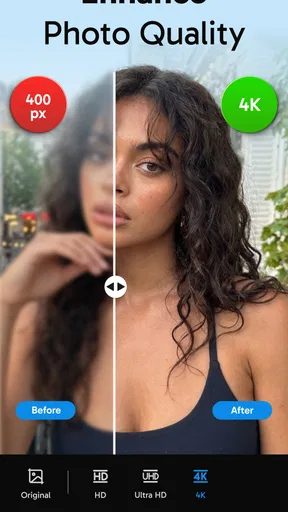
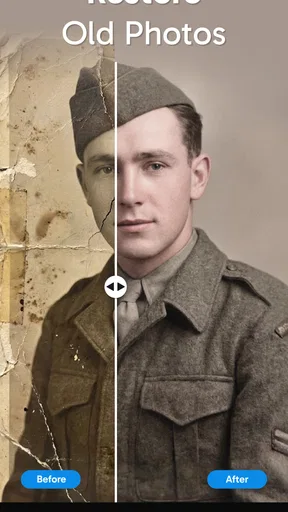
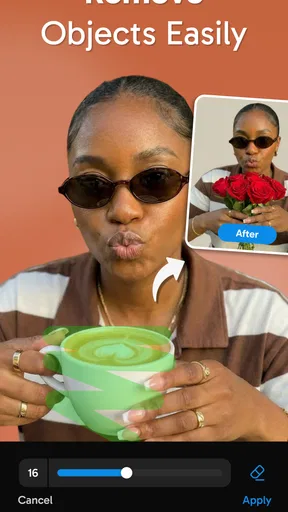
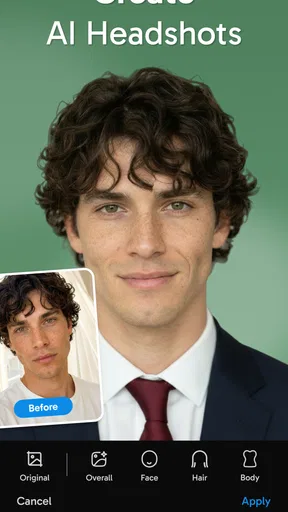
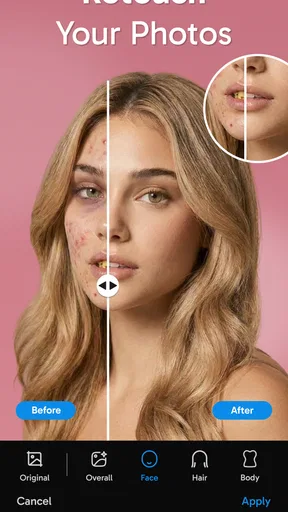
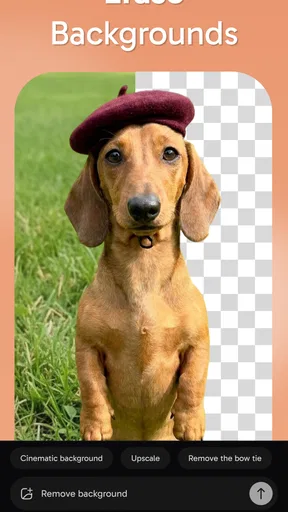
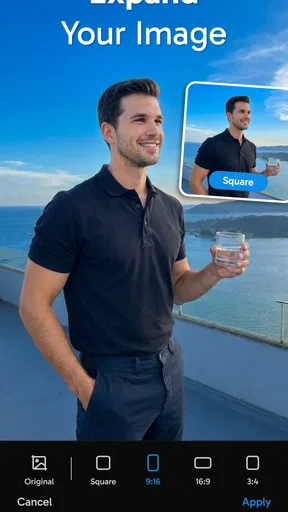
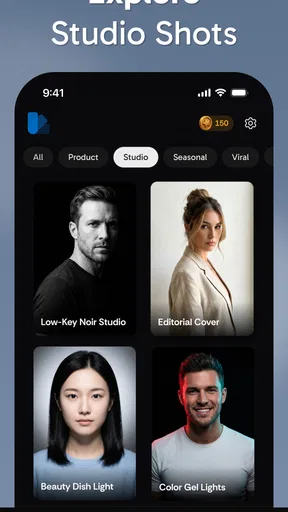
Our Review of Layers - AI Photo Editor
 Analysis by Appyee
I spent time with Layers - AI Photo Editor as a photography app built for quick retouching, beauty edits, AI-assisted picture work, collages, and playful hair changes. My first impression is that it aims at people who want several casual editing jobs in one place rather than a specialist tool for one narrow task. You can start with an ordinary phone photo and move toward a cleaner portrait, a more expressive look, or a collage without switching between separate apps.
That broad approach is useful, but it also sets the right expectation: this is not the kind of editor I would choose for precise professional color grading, detailed compositing, or a carefully managed photography workflow. Its appeal is speed and variety. If I want to make a social post, tidy up a selfie, or test a different visual idea without opening a complicated desktop-style editor, the concept makes sense.
How Layers feels in everyday photo editing
I find Layers most useful when I treat a photo edit as a small project rather than a one-tap fix: first decide whether I want a natural portrait, a playful variation, or a collage, then choose tools to match. That approach helps keep experiments intentional and makes it easier to stop before an image feels overworked. Next, I’ll look at what its current version and release history actually tell us.
A free starting point with a clear paid boundary
Layers is free to install and use as an entry point, which makes it easy to try before deciding whether it deserves a permanent place on your phone. The app is developed by HITDEV AI and is listed for Everyone, so its general audience is broad rather than aimed only at experienced photographers. The current version is 1.0.5, and the app was released on February 13, 2026.
The important value question is not simply whether the download costs nothing. In-app purchases range from $5.99 to $39.99 per item, so some of the app’s value may depend on which editing tools or content you want to use beyond the free experience. I would approach it as a free trial of a flexible photo toolkit, then judge any purchase by how often I actually return to the same features. A person editing one picture occasionally may be perfectly satisfied without paying, while someone using the beauty, collage, and AI tools every week may see more reason to spend.
That distinction matters because a free app can still become poor value if its paid elements interrupt the workflow or if the features you specifically want are locked away. I would not buy anything immediately after installation. I would first test a normal portrait, a group image, and a collage project, then see whether the free editing path is comfortable enough for real use. This is a more reliable way to judge Layers than assuming every tool has equal access.
What the app is trying to solve
The app combines several common mobile editing needs: retouching, beauty adjustments, AI picture creation or enhancement, collage making, and hair-focused effects. That combination is more interesting than a basic filter camera because it supports a sequence of decisions. I can begin by improving a face, experiment with a playful hair idea, and then place the result into a collage for sharing.
The name also suggests a layered way of thinking about edits, although I would avoid treating it like a full desktop compositing program unless the interface proves sufficient for that kind of work. On a phone, the practical benefit of a layered approach is usually control: keeping changes separate can make it easier to adjust one part without ruining the rest. The useful test is whether the app lets me build an image in stages rather than forcing one permanent effect over another.
For a casual user, the biggest advantage is reduced app-hopping. Normally, I might use one application for skin retouching, another for a collage, and a third for a novelty hair effect. Layers brings those purposes under one roof. The trade-off is that an all-in-one editor may not match the best specialist app in every individual area. Convenience is the product’s central promise, and I think it should be judged on that basis.
A realistic phone workflow
Imagine I take a quick portrait before meeting friends. The lighting is acceptable, but the image feels unfinished. I would begin with a restrained retouch rather than immediately applying a dramatic beauty effect. Small corrections usually preserve the person’s expression and make the final image feel less artificial. After that, I could try a hair variation as a visual experiment, save the version I like, and use the collage maker to combine it with a second photograph from the same day.
This workflow shows where the app can be more useful than a simple filter editor. The final result is not just one altered photo; it can become a small story or comparison. A collage can also be practical for a birthday message, a travel recap, a before-and-after presentation, or a mood board. I would keep the original image untouched and work from a copy, especially when trying several AI or beauty variations.
One non-obvious tip is to decide the purpose of the image before editing. A portrait intended for a profile picture needs restraint and clarity, while a playful collage can benefit from more exaggerated hair or beauty changes. Mixing those goals often produces an image that is neither natural nor intentionally artistic. Layers gives room for both styles, but the quality of the result still depends on choosing the effect to match the use.
Retouching without losing the person in the photo
Beauty editors are easy to overuse because the preview can look impressive at first glance. My preference is to make one change at a time and inspect the eyes, hairline, skin texture, and edges of the face after each adjustment. If a face becomes too smooth, the image may look less like a photograph and more like a generated illustration. That is not always bad, but it should be a deliberate choice.
Layers is likely to appeal to users who want quick visual improvement rather than manual pixel-level work. Someone who enjoys adjusting every curve, mask, and color channel may find this style limiting. In contrast, a person who wants to soften a distracting detail or prepare a polished selfie in a few minutes will probably appreciate the shorter route.
A second useful habit is to compare the edited version with the original before saving. AI-assisted and beauty tools can make small changes that are difficult to notice while concentrating on one part of the screen. Looking back at the untouched photo helps me decide whether the edit improved the image or merely made it more dramatic. This is especially important when editing group photos, where changing one face too strongly can make the people look inconsistent.
Collages are more than a decorative extra
The collage function gives the app a practical role beyond portrait editing. I can use a collage to show several stages of a project, arrange a set of outfits, compare hair ideas, or build a compact memory from a day out. It is also useful when a single image does not tell the whole story. Instead of posting several separate pictures, I can create one composed image with a clear visual order.
The main trade-off is that collage design often becomes crowded when every image receives a different effect. I would choose one visual theme and keep the edits related. For example, if the main image uses a natural retouch, the supporting images should not use wildly different beauty or hair treatments unless the contrast is intentional. Consistency makes a simple collage look more considered.
Another practical tip is to choose the strongest image first and build around it. Starting with a weak photograph and trying to rescue it through several effects usually creates more work than selecting a better source image. Layers can help arrange and style the pictures, but no editor can fully replace good framing, suitable light, or a clear subject.
AI and hair effects: useful for ideas, not every final image
The AI-focused parts are where Layers becomes more playful than a conventional retouching app. Hair editing can help someone visualize a different look before making a real change, or simply create an amusing image for friends. I see this as an idea-generation tool as much as an editing tool. It can encourage experimentation because the result is reversible and temporary.
Still, I would treat generated changes as suggestions rather than accurate predictions. Hair is complicated: loose strands, curls, hats, shadows, and overlapping faces can make any automated result look less convincing. A clean, well-lit portrait with a clear head outline is a better starting point than a dark group photo. This is a concrete limitation that matters if you expect a realistic preview for an important decision.
The same caution applies to AI picture work generally. A generated or heavily altered image can be fun, but it may not preserve every personal detail faithfully. If authenticity matters, I would use the AI effect lightly and keep the original available. If the goal is creativity, humor, or a striking collage, the more noticeable changes may be exactly what makes the result worthwhile.
How it compares with familiar alternatives
Compared with a basic phone gallery editor, Layers offers a wider creative range. A built-in editor is usually faster for cropping, rotating, and making simple light adjustments, but it is not normally designed around beauty editing, hair experiments, and AI-assisted compositions in one workflow. For quick everyday corrections, the gallery may still be simpler. For a more expressive portrait or collage, Layers has the stronger concept.
Compared with a dedicated retouching app, Layers may be more convenient because I do not need to leave the same workspace to create a collage or try a hair effect. The specialist alternative may nevertheless provide finer control over a particular task. If my priority is natural skin cleanup with careful brush work, I would compare the results closely before replacing a trusted retouching tool.
Compared with a full professional editor, Layers is easier to approach but less suited to demanding production work. Professional software is preferable when I need exact masks, repeatable adjustments, detailed color management, or a complex multi-image composition. Layers makes more sense for personal images, social content, experiments, and quick presentation pieces where speed matters more than exhaustive control.
Where the friction appears
The broad feature set can create a learning curve of its own. An app that includes retouching, beauty editing, AI image work, collages, and hair effects may require some exploration before I understand which tool is best for a particular result. That is not a serious problem for curious users, but someone wanting one obvious button for a single task may find the range distracting.
I would also be careful about building a workflow around effects before checking the final image at normal viewing size. A preview can make a strong transformation look exciting, while the saved composition may feel too busy when viewed as a small thumbnail. For profile images and messaging apps, subtle edits often survive resizing better than elaborate ones.
Payment is another point to examine personally. The free entry makes experimentation accessible, but the presence of purchases up to $39.99 per item means I would pay attention to what is included before confirming anything. The right question is not whether the highest purchase is expensive in isolation; it is whether the tools I use repeatedly save enough time or provide a style I cannot get comfortably elsewhere. If the answer is no, staying with the free portion is the sensible choice.
Who will get the most value
I think Layers is best for people who edit portraits and social images on a phone, enjoy trying visual variations, and prefer one flexible app over several specialized downloads. It should also suit users who make collages regularly, especially when the collage needs more personality than a plain grid. The free installation makes it low-risk to explore, while the broad tool mix gives creative users plenty of reasons to return.
It may be particularly useful for someone planning a small visual project. A student could assemble a themed collage, a creator could test a hair concept for a character, or a friend could prepare a playful set of images for a celebration. These are not professional production scenarios, but they are exactly the situations where quick experimentation and easy combination are more valuable than technical depth.
I would skip it if I mainly need straightforward cropping and brightness adjustments, because the phone’s existing editor may be quicker. I would also look elsewhere if I need highly controlled retouching, serious color work, or dependable realism from an AI transformation. Layers is not the right replacement for every photography tool; its strength is the overlap between casual enhancement and creative play.
My verdict on the free and paid value
After considering the complete package, I see Layers as a promising choice for mobile users who want portrait editing, AI experimentation, hair effects, and collages together. Its average rating is 4.2 from around 3.4 thousand ratings, and it has passed 100 thousand installs, which suggests that the concept is finding an audience. Those figures do not replace personal testing, but they fit my impression that the app is aimed at accessible, everyday creativity rather than specialist photography.
The best value comes from using Layers as a flexible creative workspace, not as a replacement for every professional editor. I would install it for free, test the same few photos across its main editing paths, and wait before considering an in-app purchase. If I regularly use the retouching, collage, and hair tools and prefer their results to separate alternatives, paid access may feel worthwhile. If I only need occasional basic corrections, the free experience—or the built-in gallery editor—should be enough.
My recommendation is therefore positive but specific. Try it if you want quick, expressive edits and enjoy comparing different looks. Keep your originals, edit with restraint when realism matters, and judge any purchase by repeated personal use rather than by the number of available tools. For that audience, Layers - AI Photo Editor offers a convenient and entertaining way to turn ordinary phone pictures into more finished, more personal images.
Verdict
Strengths of Layers - AI Photo Editor
- AI tools make complex edits accessible to beginners.
- Supports creative layering for collages and double-exposure effects.
- Quick adjustments help produce polished images in less time.
- Useful for experimenting with artistic photo styles.
- Convenient mobile workflow for editing photos on the go.
Limitations of Layers - AI Photo Editor
- Some advanced tools may be restricted to premium users.
- AI results can vary depending on image quality and subject.
- Layer-heavy projects may use considerable device storage.
- Export options may be limited compared with desktop editors.
- Frequent effects and AI processing can increase battery usage.
Similar Picks in This Category
View All
Google Photos
Google LLC4.4

Gallery
Google LLC4.2

Picsart AI Photo Editor, Video
PicsArt, Inc.3.9

B612 AI Photo&Video Editor
SNOW Corporation4.1

BeautyPlus-Selfie Photo Editor
PIXOCIAL TECHNOLOGY (SINGAPORE) PTE. LTD.4.5

Remini - AI Photo Enhancer
Bending Spoons4.1
Frequently Asked Questions
What is Layers - AI Photo Editor and what can I use it for?
Layers - AI Photo Editor is designed for creating and editing images with the help of artificial intelligence. It can be useful for removing or changing backgrounds, enhancing photos, applying creative effects, and making visual adjustments without requiring advanced editing skills. Before downloading, users should review the available tools, supported image formats, and whether the features they need are included in the free version or require a subscription.
Is Layers - AI Photo Editor free to download and use?
The application may be available to download at no initial cost, but some editing tools, AI generations, exports, or premium effects can be restricted behind in-app purchases or a subscription. I recommend checking the current pricing shown on the Google Play Store or App Store before starting a trial. Also pay attention to renewal terms, usage limits, and whether exported images include watermarks on the free plan.
Does Layers - AI Photo Editor require an internet connection?
Many AI-powered editing functions usually depend on cloud processing, meaning an internet connection may be required to upload an image, generate an effect, or complete an edit. Basic functions may work differently depending on the app version and device. If you plan to use Layers while traveling or with limited mobile data, check which tools work offline and review the app’s data usage and upload behavior before editing private photographs.
Are my photos and personal data safe when using Layers?
Before using an AI photo editor, it is important to read its privacy policy and understand how uploaded images are processed, stored, and possibly used to improve services. Avoid uploading sensitive documents, confidential work, or photographs containing private information unless you are comfortable with the stated policies. You should also review requested permissions and only grant access to the photos, camera, or files that the app genuinely needs.
What devices are compatible with Layers - AI Photo Editor?
Compatibility depends on the operating system, device model, available storage, and the minimum version supported by the developer. AI editing can also require more memory and processing power than a basic photo editor, so older phones may experience slower generation, crashes, or limited features. Check the official store listing for current Android or iOS requirements and make sure enough free space is available for the app and exported images.
